Viewing Hyperlink Reports
To view the hyperlink report, click File > Hyperlink Report. A spreadsheet appears where you can view and edit hyperlinks.
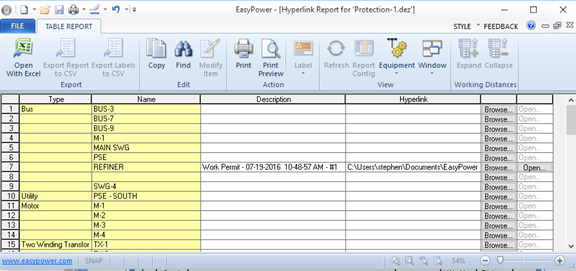
Figure 1: Hyperlink Report
You can change the path name of the hyperlink globally by clicking Find. This displays the Find Hyperlink dialog box. You can replace the text in the path name to change the path of the hyperlink.
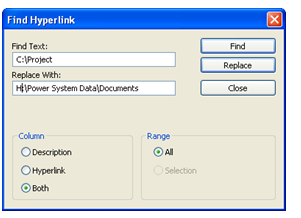
Figure 2: Find Hyperlink Dialog Box
More Information
| Making One-line Diagrams | |
| Associating Equipment Data with Hyperlinks |